
Logify helps you find out which meals don’t agree with you. There are two ways: a quick rating of every meal and more detailed symptoms.
Rate a meal
Next to every entry there’s a face. Tap it and choose good, so-so or bad. You can change or remove the rating at any time.
Log a symptom
- Tap the plus at the bottom right and choose Log symptom.
- Pick one or more symptoms: bloating, stomach ache, heartburn, diarrhea, nausea, feeling of fullness, headache, fatigue or skin.
- Logify suggests the meals of the last 24 hours. Select the ones that might be the cause – this is optional.
- Add a note if you like, e.g. “an hour after eating”, and adjust the time.
- Save.
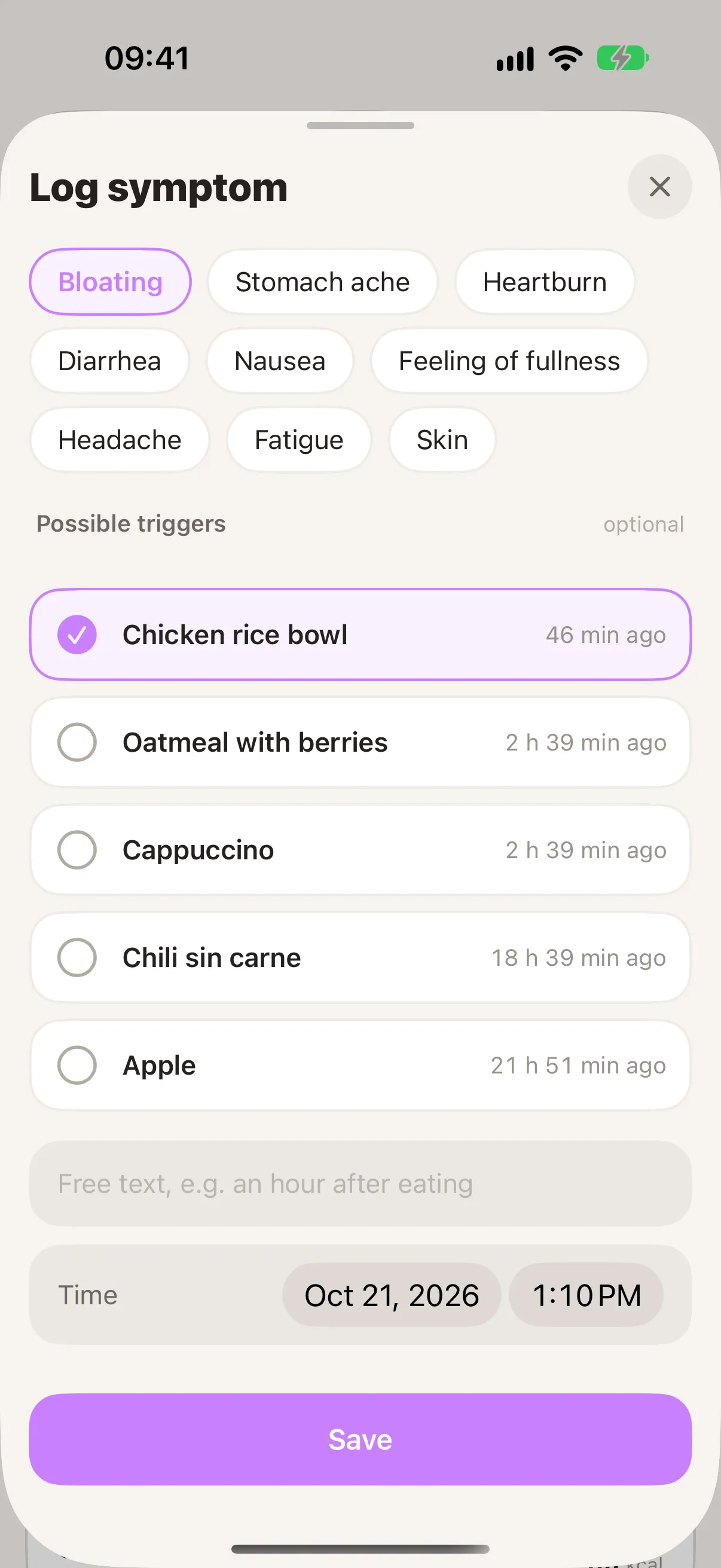
Logged symptoms appear in the day view and in the meal’s details, where you can also edit them.
Reading the analysis
Open Statistics (the bar icon at the top right) and scroll to Possible Intolerances. For each conspicuous meal you see:
- how often it was linked to symptoms, e.g. “6 of 12 times”,
- which symptom came up most, e.g. “mostly bloating”,
- and the share as a percentage.
It counts meals you rated as bad or linked to a symptom. The more often you eat and log a meal, the more meaningful the picture becomes.
Calendar and timeline
Tap the arrow next to “Possible Intolerances” to open the Tolerance view. The calendar marks days:
- red – a symptom or a poorly tolerated meal,
- yellow – a meal rated “so-so”.
Tap a day to see all of its meals and symptoms in a timeline below – with their rating and the time between meal and symptom.
Logify shows connections in your own entries – it does not make a diagnosis. If symptoms persist or worry you, please talk to your doctor. See also Is Logify a medical device?