
With your own API key, the AI of your choice estimates the nutrition of your meals – by photo, voice or text. You create the key once with the provider and paste it into Logify.
Good to know: your API key is stored only in your iPhone’s keychain. It is not synced via iCloud, not exported and never sent to us. Requests go straight from your iPhone to the provider.
From iOS 27 on, iPhones with Apple Intelligence don’t need a key – see Which devices support AI without a key?
In Logify
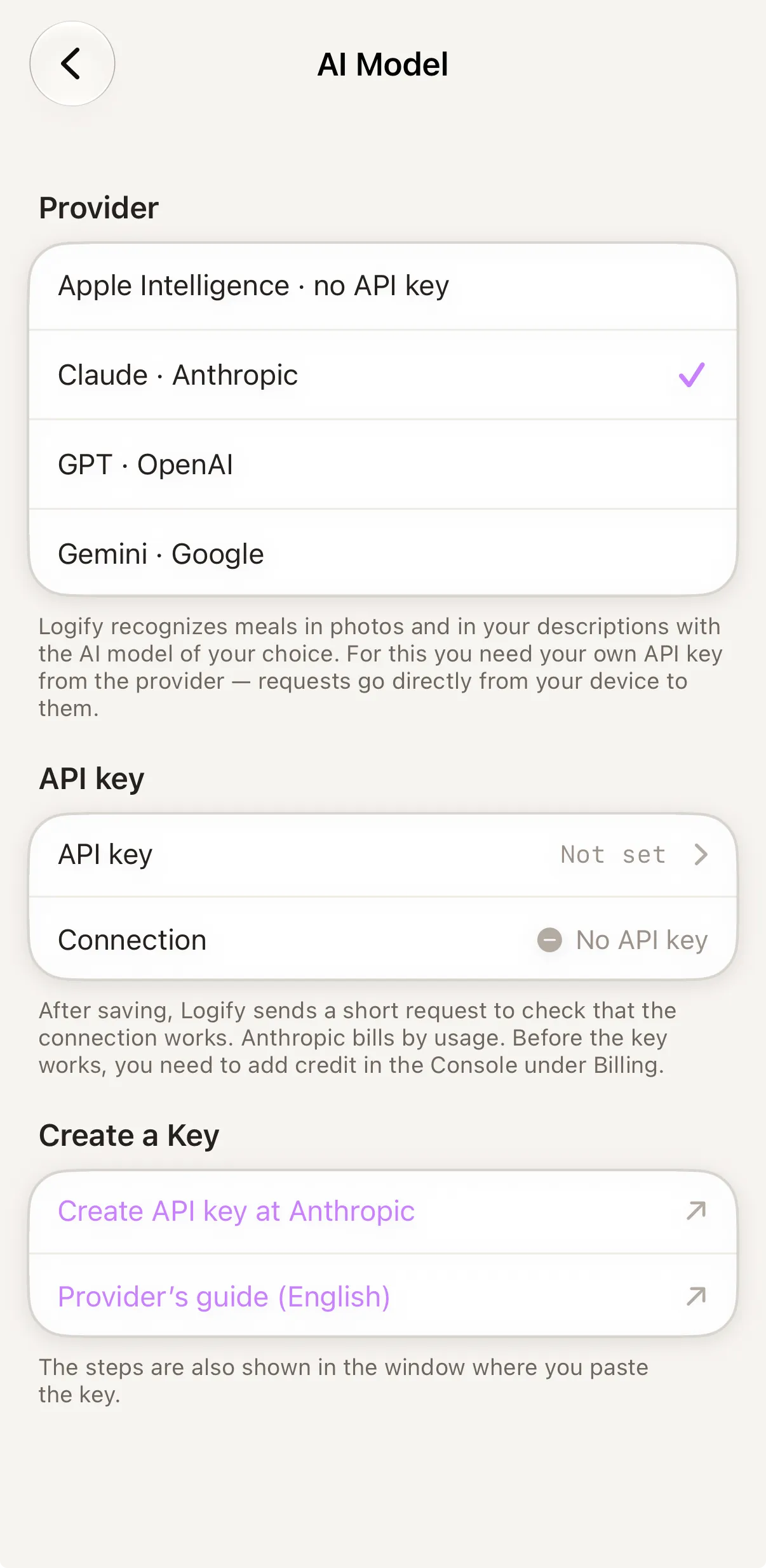
- On the home screen, tap the circle with your initial at the top right. Settings open.
- Tap AI Model.
- Under Provider, choose Gemini, Claude or GPT.
- Tap API key, paste your key and save.
- Logify checks the connection with a short test request. You’ll see the result under Connection.
Gemini (Google)
- Sign in to Google AI Studio with your Google account and accept the terms.
- On the API keys page, choose “Create API key”; if asked, select or create a project.
- Copy the key and paste it into Logify.
Cost: Google offers a free tier with usage limits. Beyond that, you pay per use – which makes Gemini the cheapest way to get started.
Claude (Anthropic)
- Sign in to the Claude Console or create an account.
- Under Settings → API keys, tap “Create key” and give it a name, e.g. “Logify”.
- Copy the key (it starts with
sk-ant-) right away – it’s only shown once – and paste it into Logify.
Cost: Anthropic bills per use. Before the key works, you need to add credit under Billing in the console.
ChatGPT (OpenAI)
- Sign in to the OpenAI Platform or create an account.
- Under API keys, tap “Create new secret key” and give it a name, e.g. “Logify”.
- Copy the key (it starts with
sk-) right away – it’s only shown once – and paste it into Logify.
Cost: OpenAI bills per use. Without a payment method or credit, a key often can’t be used.
Removing the key
You can delete the key at any time under Settings → AI Model → API key. It is then removed from this device’s keychain.